

Savi
Overview
Savi is a mobile application designed to help users stay connected and protected through automated and emergency notifications. The platform allows users to create personalized alerts that can be triggered instantly during emergencies or scheduled in advance for important life events and reminders.
My role focused on designing a trustworthy, intuitive, and fast experience where users could configure critical notifications with minimal effort and maximum reliability.
Categories
- UI
- Prototyping
Role
- UI design
Duration
- 5 Months
Client
- Personal project
The context for this project
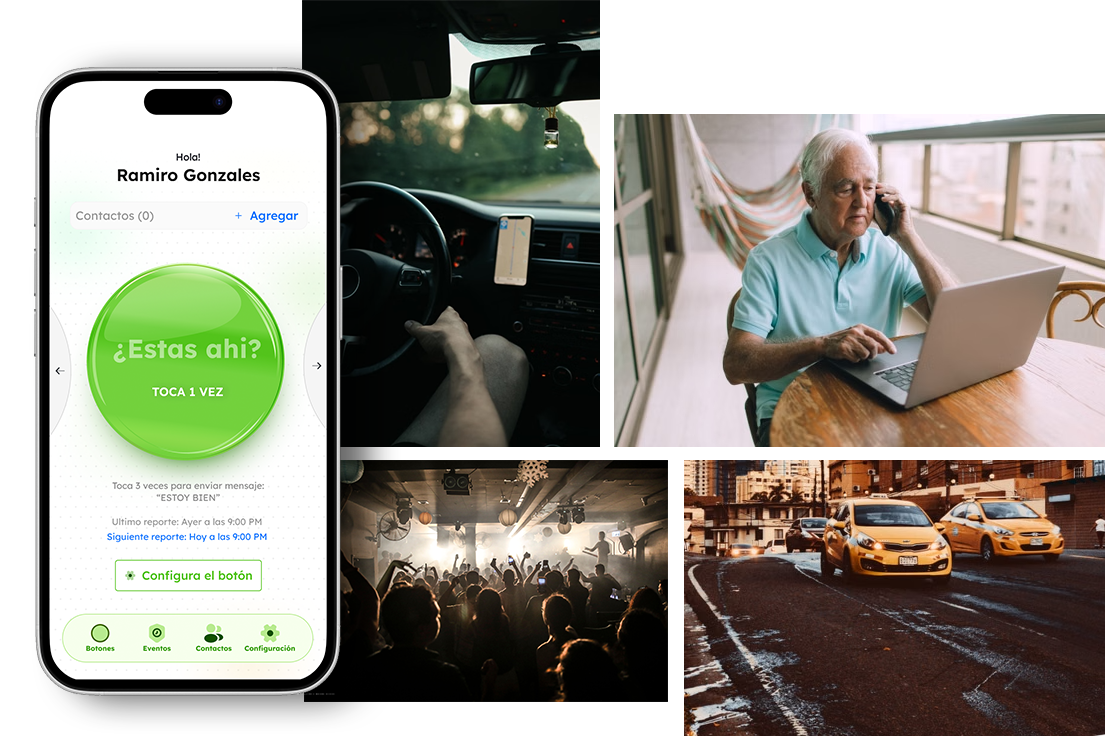
This project is set primarily in Colombia’s major cities, where insecurity is a major concern in citizens’ lives. Although there are several similar apps on the market, incidents such as common muggings, forced disappearances, and criminal phenomena like “paseo millonario” continue to rise, with no use of those kind of apps . Savi aims to adapt to the country’s specific circumstances, taking into account the habits of people who go out on the streets and the specific situations of danger they face.
One of the project’s main objectives is to reduce the friction between facing a real-life dangerous situation and the user’s ability to use or respond to the app.
To achieve this, the project leverages all the advantages of current technology to minimize this friction—from activating alarms or messages by customizing the mobile device for this purpose to using voice commands.
Target Users.
The project definition identified several types of users. At first glance, the target group appears to be very broad—virtually anyone of any age with a mobile device could use the app.
For this reason, I identified these three questions to address:
“Help others know where I am.”
“Help others know I’m okay.”
“Help others if something happens to me.”
This confirms the conditions for alerts and notifications, with three default options and an infinite number of ways to create custom alerts. It’s also worth noting how to create contacts and the ways to be reached.
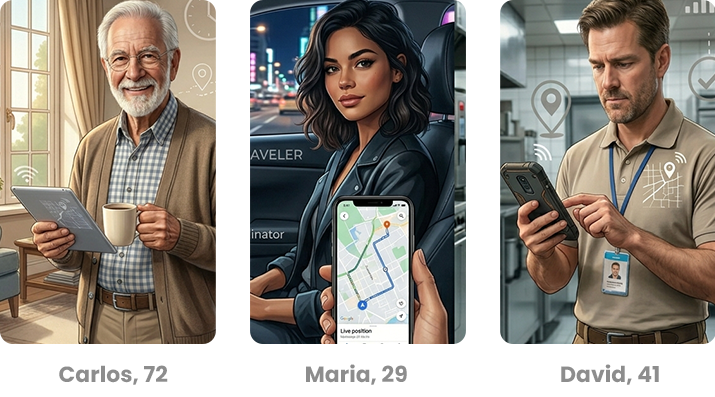
Carlos, 72
Retired Teacher. Carlos lives alone and values his independence. His children want reassurance that he is safe without having to call him multiple times a day.
Goals: Maintain independence while keeping family informed, easily confirm his well-being, use a simple interface without technical complexity.
Pain Points: family worries when he doesn’t answer calls, forgets to send daily updates, finds many apps too complicated.
How Savi Helps: Carlos uses the “Are You There?” feature to confirm he is safe with a single tap. If he misses a check-in, his family automatically receives a notification.
Maria, 29
Marketing Specialist. Maria commutes daily using public transportation and rideshare services. She often returns home late and wants her family to know she has arrived safely without having to send messages every day.
Goals: Share her journey in real time with trusted contacts, confirm she arrived safely at her destination,
avoid repetitive manual check-ins.
Pain Points: forgets to notify family when she gets home. Feels vulnerable when traveling alone at night.
Doesn’t want to constantly text her location.
How Savi Helps: Maria uses Journey Tracking to automatically share her route and sends arrival notifications when she reaches her destination.
David, 41
Field Technician. David regularly visits client locations and works alone in unfamiliar areas. His employer and family need a reliable way to know he is safe during the workday.
Goals:Have a fast emergency alert mechanism. Share his location when needed. Reduce response time in case of an incident.
Pain Points:Works in isolated environments. May not be able to make a phone call during an emergency. Needs a solution that works instantly.
How Savi Helps: David configures the Emergency Alert Button to send his location and a predefined message through SMS, WhatsApp, email, and push notifications with a single action.
User Research & Insights
Through competitor analysis and user interviews, three recurring needs emerged:
- Users wanted a fast way to alert trusted contacts during emergencies.
- Scheduled notifications needed to be flexible but easy to configure.
- Users needed confidence that alerts would be delivered successfully.
These insights became the foundation of the product experience.
Design goals
The primary goal was to create a safety-first experience that allowed users to set up and manage alerts quickly. The interface needed to feel trustworthy, reduce cognitive load, and ensure that critical actions could be completed within seconds.
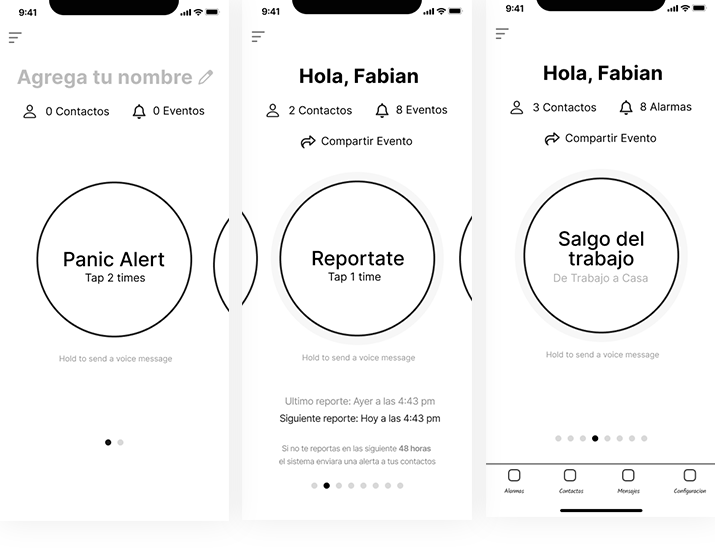
Emergency Alert System
The emergency flow allows users to trigger an alert with a single tap. Once activated, Savi automatically sends notifications through multiple channels, including WhatsApp, SMS, email, and push notifications.
Each message contains the user’s predefined emergency text along with their real-time location, helping contacts react immediately when assistance is needed.
Smart Scheduled Reminders
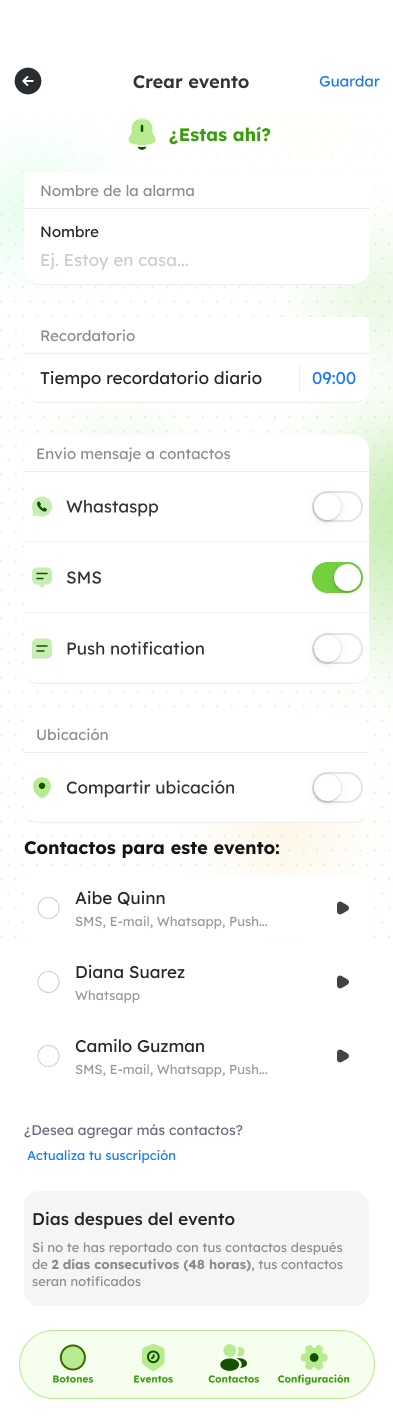
Users can create personalized reminders that automatically notify selected contacts at a specific date and time.
This feature was designed for situations such as travel updates, medication reminders, family check-ins, or important personal events.
Automated Life Events
Savi also supports advanced automation scenarios, allowing users to create recurring notifications or predefined communication workflows that run automatically based on user-defined conditions.
The scenarios
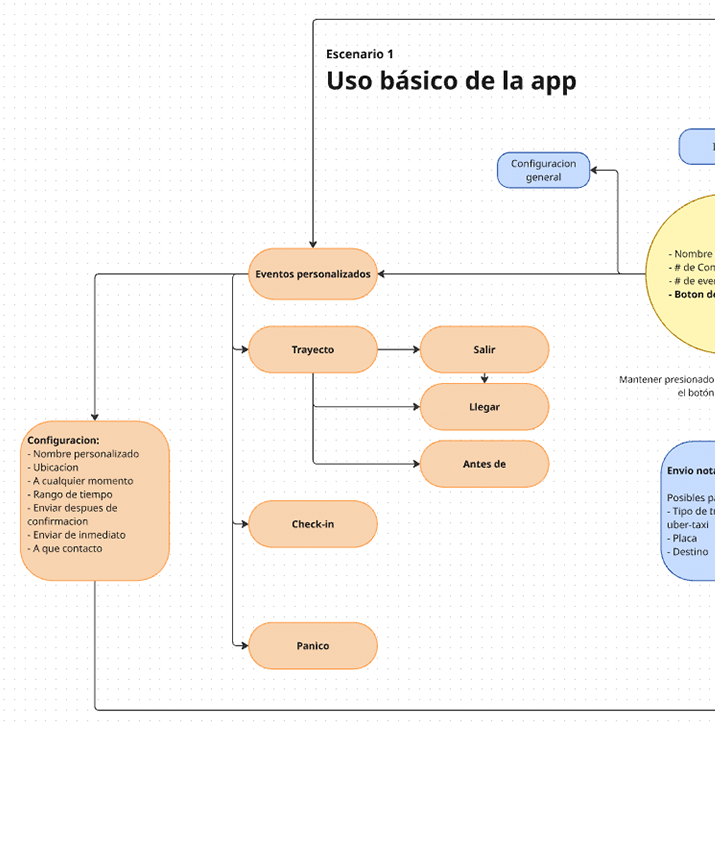
After defining the context, the people involved, and the main functions, we proceeded to develop the scenarios. The first scenario covers basic use, and the second covers a situation in which an emergency occurs.
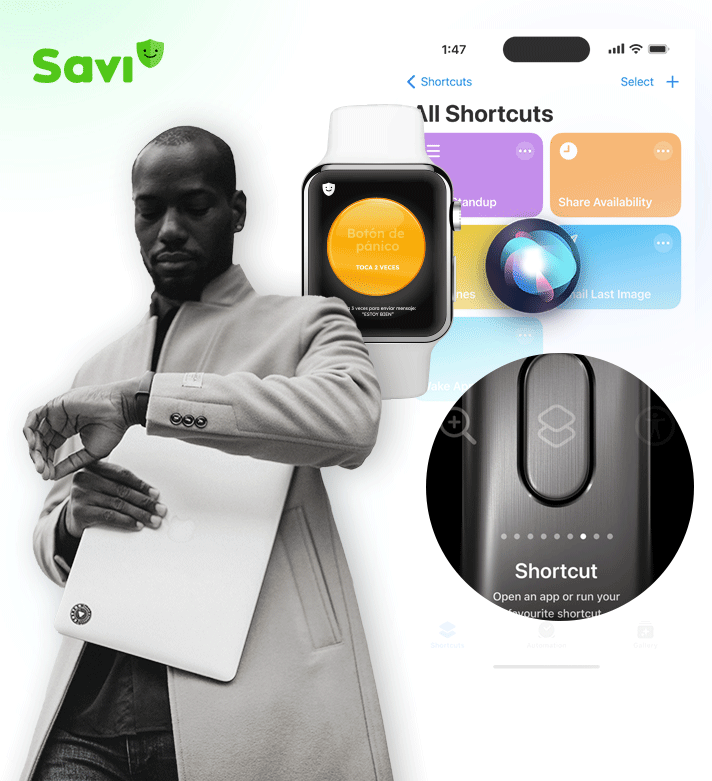
To reduce the gap between an actual emergency situation and the issuance of alerts. A second version is planned to include support for the latest versions of operating systems. For example, starting with iOS 16, the app will utilize shortcuts and the action button.
The emergency scenario is planned as follows:
The app launches automatically, triggering the alert message
– Via voice command (Siri, Google Assistant): “Siri, open Savi”
– Launching Savi from a smartwatch. Tapping the panic button triggers alerts immediately.
– Create shortcuts (iOS) to open Savi and assign the shortcut to the action button. Similarly, for Android, the device’s buttons will be configured to quickly launch Savi and trigger the corresponding alerts.
Final UI
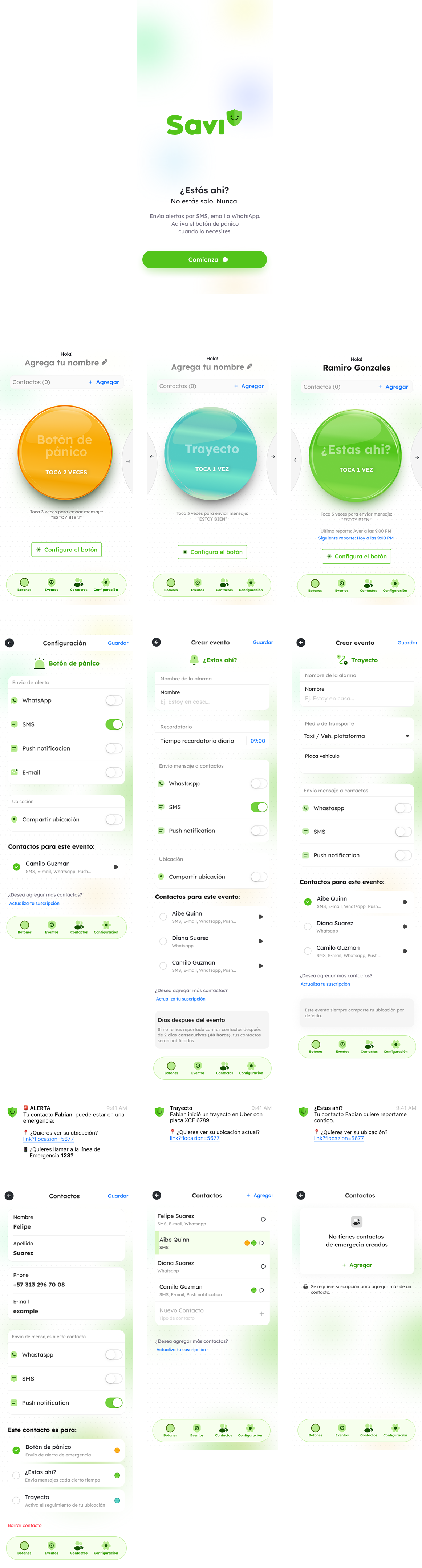
The visual design of Savi was intentionally crafted to communicate safety, trust, and simplicity. Since users may interact with the app during stressful or time-sensitive situations, the interface prioritizes clarity and immediate recognition over visual complexity.
A friendly and approachable aesthetic was achieved through the use of rounded shapes, soft corners, generous spacing, and large touch targets. The central action button serves as the primary focus of the interface, making the most important action instantly discoverable and accessible with a single tap.
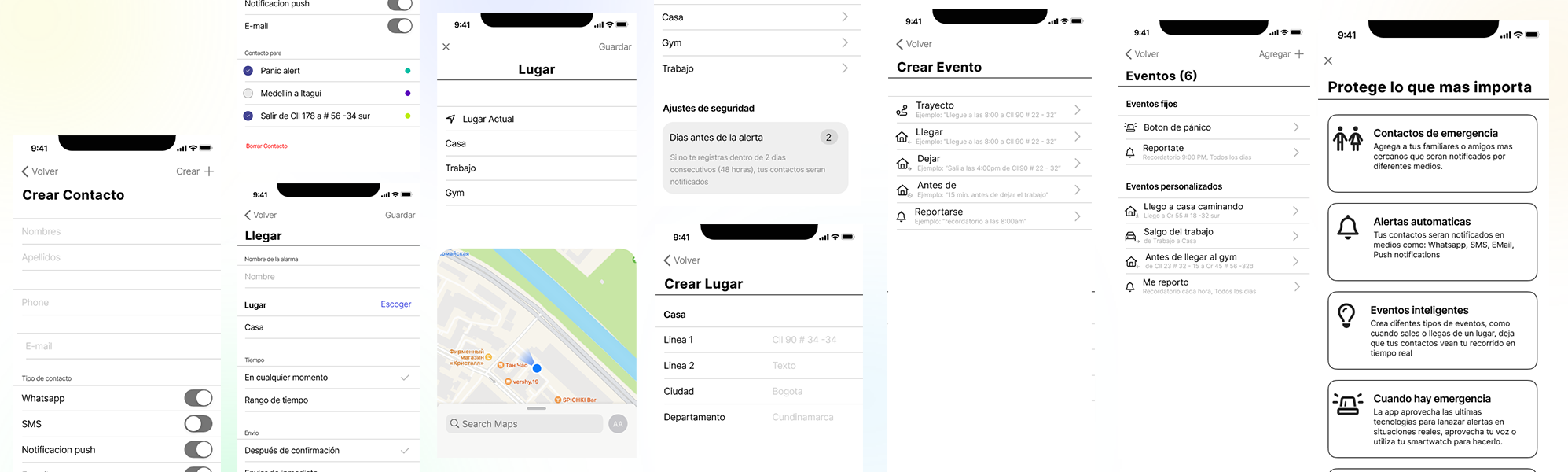
Color Palette
The color system was designed around clear emotional and functional cues:
- Green represents safety, confirmation, and successful check-ins. When users report that they are safe, the interface transitions to green states, providing immediate reassurance.
- Red is reserved for attention-required states, pending check-ins, or situations that may require user action. Its strong contrast helps communicate urgency without relying on excessive notifications.
- Neutral grays and soft backgrounds reduce visual noise and allow critical actions to stand out, while maintaining a calm and reassuring experience.
This deliberate use of color creates a clear status system that users can understand at a glance, even in high-stress situations.
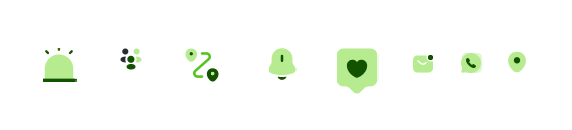
The icons are duotone and feature rounded shapes that are consistent with the app’s graphic design concept.
Framework
The interface was built using Ant Design Mobile as the foundational framework. The component library provided a robust and accessible base for forms, navigation patterns, switches, and mobile interactions, allowing the team to focus on creating a consistent experience rather than designing common UI elements from scratch.
To align the product with its safety-oriented mission, the default Ant Design visual language was customized with softer corners, rounded containers, and larger interactive elements. This approach preserved the framework’s usability and accessibility standards while creating a more human-centered and approachable product identity.
The result is a clean, modern mobile experience that feels reliable and easy to use, while maintaining the flexibility and scalability needed for future product growth.